Phone Case Kiosks in Airports: What 3 Airports Taught Us
Three airport phone case kiosk deployments and five lessons on terminal matching, pricing and partnerships.

I'm the COO of GOBEAR. We help entrepreneurs, mall operators, 3C mobile stores, event venues, and campus retailers tap into high-margin, low-maintenance vending models.
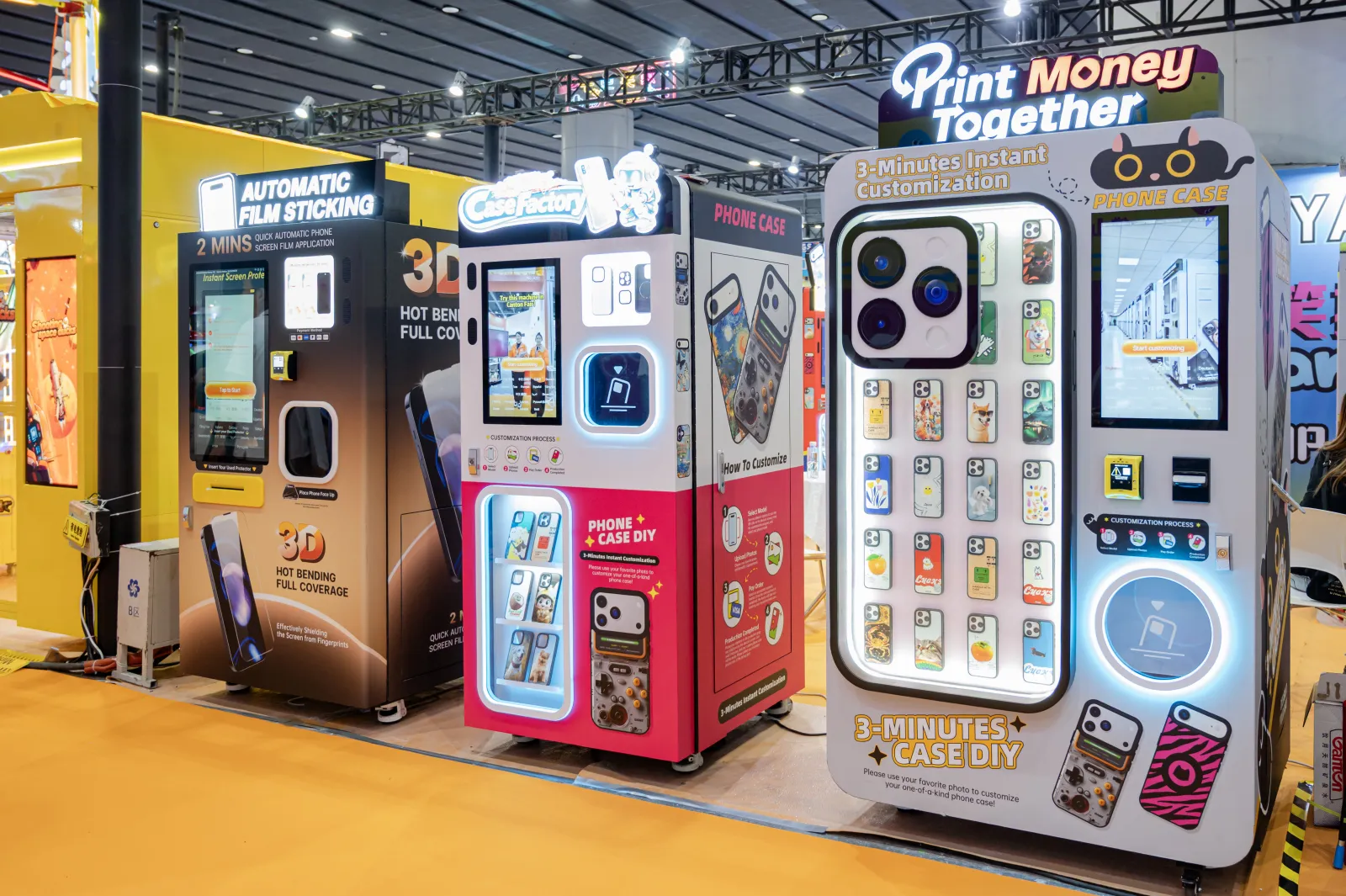
Two machines in the same mall can offer different ways to buy a phone case. One dispenses a ready-made design from stock. The other prints the customer’s photo, text or selected artwork after payment. This difference affects inventory planning, waiting time, maintenance and pricing.
GOBEAR phone case kiosks provide the on-demand printing example. Ready-made case vending is discussed as an alternative retail format.
This article compares the two models on operation, inventory risk, pricing, costs and location fit. The printing examples draw on our case studies. Without comparable financial data for ready-made case vending, these examples cannot establish which model is more profitable.
If you only have two minutes, here is the short version:
The mechanism: a DIY printing kiosk prints a custom case on demand in 2.5–5 minutes; a pre-loaded machine dispenses a stocked design in seconds.
What you are selling: a personalization service vs a design selection. One monetizes "made for me", the other monetizes curation.
Inventory risk: printing machines carry generic blanks that work for any customer; pre-loaded machines carry design-specific stock that must sell through or be marked down.
Pricing power: custom printing offers personalization and immediate collection, while competing with other customization services. Ready-made cases compete on design, quality, brand and convenience.
Operator economics: on the printing side, a $20 case leaves roughly $17 gross margin after the blank and ink; pre-loaded economics hinge on sell-through, which no public operator data covers.
Location: printing needs venues where customers already spend minutes; pre-loaded fits zero-patience transit spots.
A DIY printing kiosk is a small factory with a payment terminal. The customer browses a template library or uploads a photo (current machines add AI portrait, cartoon, cutout and photo-restoration functions) picks their phone model, pays, and the machine UV-prints the design onto a blank case in 2.5–5 minutes. Supported brands run to 30+ models in live U.S. deployments across iPhone, Samsung, Xiaomi, Google Pixel, Redmi and Honor. If you are new to the category, our introduction to phone case vending machines covers the basics, and our printing methods guide explains why UV printing dominates it.
A pre-loaded machine is a vending machine. Stocked designs sit in the slots, the customer picks one on the screen or glass, pays, and the mechanism drops the case into the tray. Everything about the offer (the catalog, the freshness, the price ladder) was decided when someone loaded the machine. Refreshing it is a physical restocking decision, not a software update.
Print times from live deployments: 2.5 minutes on the MPC Vending machines in Magics Group's U.S. network, 2–3 minutes at KURKIS in Lithuania, about 3 minutes at 300 DPI across operators in Japan, Thailand and Estonia, and 3–5 minutes as the standard spec on the newest U.S. fleet.
What reads like a weakness on a spec sheet is part of the product. Watching your own case print is retail theater; and the wait happens where waiting is already normal. MyCaseLabo's 97 kiosks sit inside Don Quijote, Bic Camera and EDION stores, where shoppers keep browsing while the case prints. The machine is not asking for patience; it is running in the background of a shopping trip.
Pre-loaded inverts the trade. The customer gets instant gratification and zero theater, and the purchase decision collapses to one question: is there a design on this rack that I like? The answer depends on a selection selected weeks ago by whoever loaded the machine.
On the printing side, the stock is model-blank cases (770 in a K77 chassis, up to 1,140 in a K114) swapped as cartridges in seconds and refilled every 1–2 weeks in live deployments. A blank is a blank: it becomes whatever the next customer wants it to become. No design ever goes stale on the shelf, and a hit TV show trending this month is a template update, not a purchasing decision.
On the pre-loaded side, every slot is a forecast. Case designs follow pop-culture cycles that turn over in weeks, and the rack ages between restocks; what sold in spring may not sell in autumn. Unsold designs are capital sitting in a metal box, and clearing them means markdowns, relocations or write-offs. The operator's core skill shifts accordingly: from maintaining a printer (cartridge swaps, printhead care, remote monitoring) to curating SKUs and forecasting per-model demand for each location.
The pricing from live operators: the equivalent of $11–$21 per custom case across 8 markets, with $20 anchoring both Japan and the U.S., and a 27%-46% premium for MagSafe versions at KURKIS (€18.99 vs €12.99–14.99 for clear). Our global pricing benchmark tracks the full table.
The mechanism behind those prices matters more than the numbers. A case printed with the customer's own photo cannot be bought cheaper elsewhere; there is no comparison shelf, because the product did not exist before the customer walked up. A generic pre-printed design can be compared, instantly, against every online marketplace and accessory shop in the customer's pocket. The pre-loaded price ceiling is set by the cheapest channel selling something similar.
One honest exception: licensed IP and collectibles. Blind-box economics, character licenses and limited drops command premiums on rarity and fandom rather than on personalization; a genuinely different business, and the strongest version of the pre-loaded model. If you can secure a license with a real fanbase, the usual commodity logic does not apply to you.
The printing-side economics: $8,000–$15,000 all-in for a first machine (machine, shipping, installation, first consumables), and about $2.50 for the blank case plus $0.07 of UV ink on a $20 sale; roughly $17.43 gross margin before venue costs. The full operator-by-operator breakdown, including payback benchmarks, is in our cost and ROI analysis.
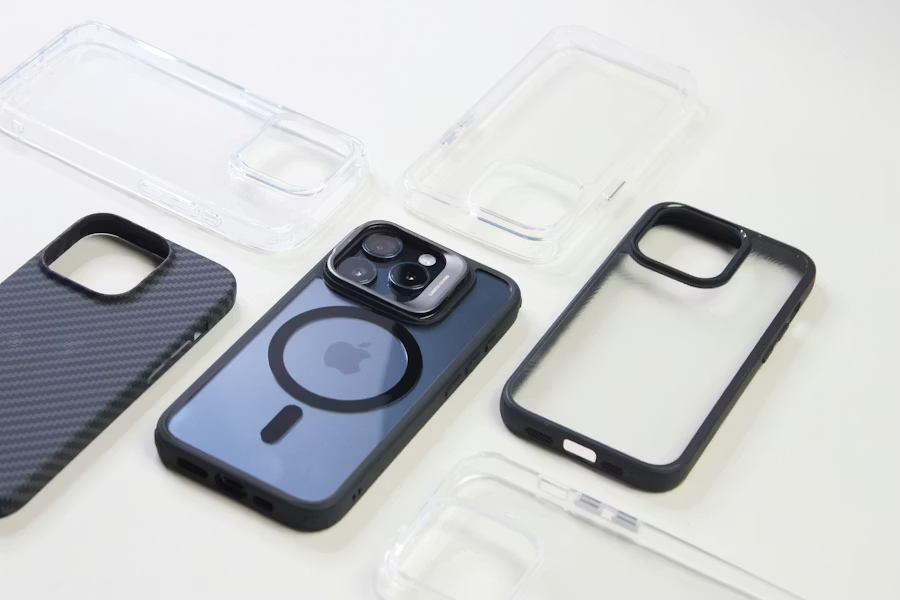
Choose the right machine model
Get a GOBEAR quote for DIY printing or pre-loaded dispensing.
Talk to GOBEARThe pre-loaded side runs the opposite allocation. The machine is mechanically simpler (no printing engine, no printhead discipline) so upfront capital typically shifts from hardware into inventory and, in the licensed model, into royalties. Maintenance changes too: the printing side's routine is cartridge swaps plus remote dashboards with OTA updates (which is how one person runs a multi-machine fleet), while the pre-loaded side's routine is dispensing mechanics, shrinkage control and SKU-level restock logistics. Payment systems, venue rent or revenue share, and restock labor are common to both.
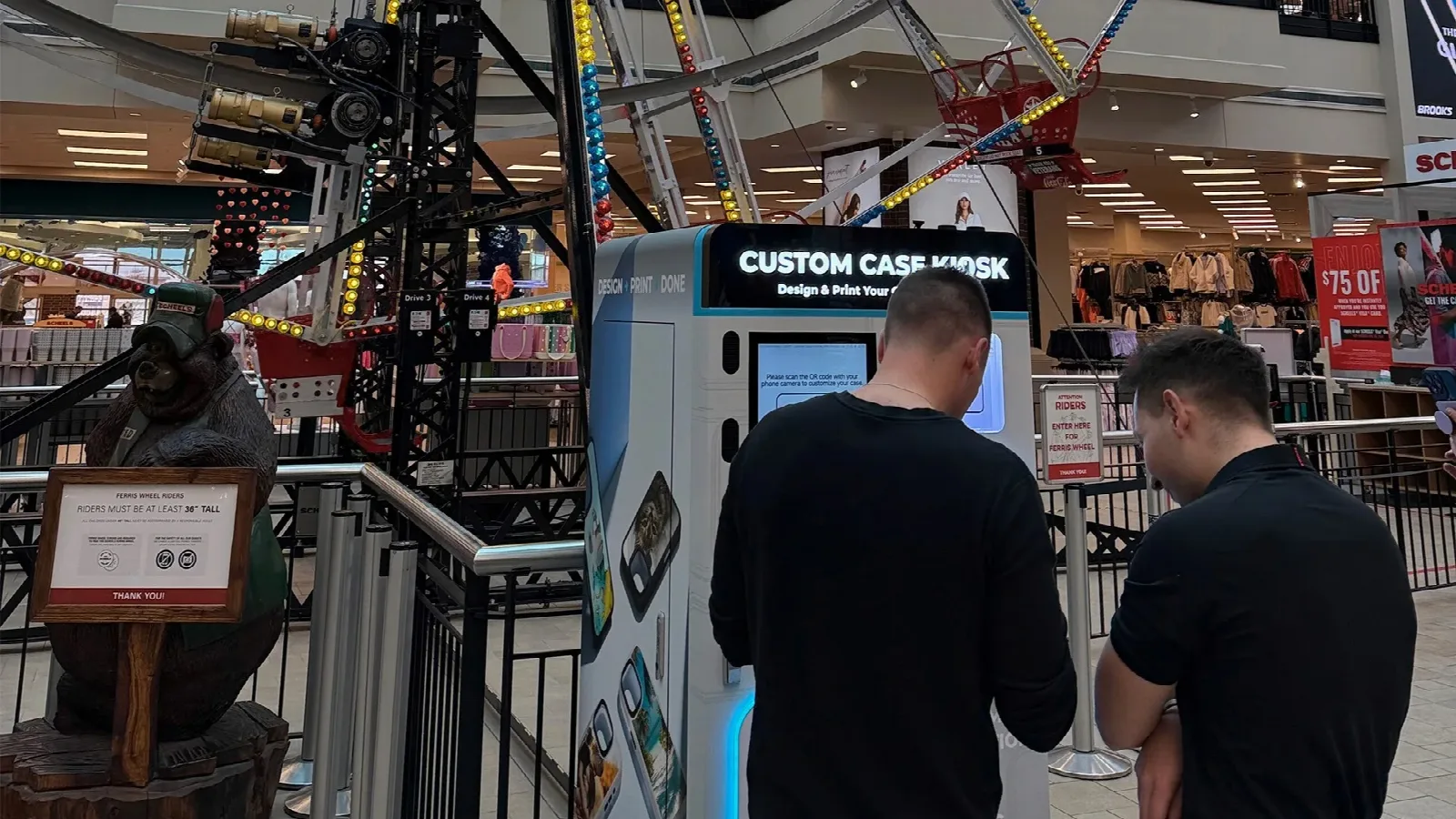
The printing model needs dwell time, and it thrives where dwell already exists: malls and flagship retail (MyCaseLabo's 97 kiosks across Japanese retail chains), big-box and carrier stores (Balaji Brands' 60 kiosks across 25 U.S. states through Boost Mobile and SCHEELS), airport retail areas. It struggles in a corridor where nobody stops, because a 3-minute print with no reason to wait is a lost sale.
The pre-loaded model needs flow, not dwell: platforms, transit corridors, exits; anywhere the 10-second transaction is the entire customer experience. That is precisely where a print kiosk underperforms, and the two models stop competing.
The rule: match the mechanism to the location's patience. If your locations have dwell, printing converts it into margin; if they have only footfall, pre-loaded converts speed into sales.
Do my customers have 3–5 minutes? If none of the locations you can win offer dwell time, the printing model fights its own spec sheet.
Am I selling personalization or curation? "Made for me" and "picked for me" are different businesses with different skills; one needs design software and a printer, the other needs taste and forecasting.
Can I forecast design demand per location? If not, printing removes that requirement: blanks are universal and the customer supplies the design.
Where do I want my capital? Printing is machine-heavy with cheap consumables; pre-loaded is machine-light with capital in stock (and licenses).
Who maintains the fleet? Printing needs a cartridge-and-printhead routine plus remote monitoring; reported as a one-person operation; pre-loaded needs restock logistics tuned per SKU and per site.
Two hybrid patterns exist. Capacity: large-format print kiosks (up to 1,140 blanks) stretch restock intervals and suit the biggest venues. Adjacency: pairing a print kiosk with pre-loaded accessory vending in the same footprint, so the custom-print buyer and the grab-and-go buyer both convert at one location.
If you are weighing a third axis (running a bare UV printer in a staffed shop vs an unattended kiosk) our business-model comparison covers that separately, and the full machine-side purchase framework (capacity, printheads, certifications, delivery) is in our UV printer buying guide. For transparency: GOBEAR builds the printing side, and the 10 case studies on this site are printing deployments; which is also why every number we could document in this comparison comes from that side.
Both paths run on the same GOBEAR hardware. The printing kiosk uses the same UV engine and cartridge system, and the pre-loaded model uses the same chassis and remote dashboard; the difference is what you stock, not what you buy. That is why many operators start with one model and add the other later.
A DIY printing kiosk prints a custom design onto a blank case on demand, in 2.5–5 minutes, from templates or the customer's own photos. A pre-loaded machine dispenses ready-made designs stocked in its slots, in seconds. The first sells personalization; the second sells curation.
The printing side has operator benchmarks: roughly $17 gross margin on a $20 case and $1,000–$3,000 monthly revenue for well-placed machines. The pre-loaded side has no comparable public operator data; its profitability depends on licensed IP strength and sell-through of stocked designs, so evaluate it on your own curation and forecasting ability.
At locations with natural dwell time, yes; a 97-kiosk network operates inside Japanese retail chains where shoppers browse while the case prints, and the printing itself acts as retail theater. In pure transit locations with zero patience, no; that is where the pre-loaded model fits.
The printing side is reported at $8,000–$15,000 all-in for a first machine including shipping and first consumables. Pre-loaded machines are mechanically simpler, but starting capital typically moves into inventory and licensing rather than disappearing.
Print kiosks hold up to 1,140 generic blanks, which covers catalog breadth without pre-loaded slots. The practical hybrid is adjacency: a print kiosk and pre-loaded accessory vending sharing one footprint, converting both custom-print and grab-and-go buyers at the same location.
Running the five questions against real locations? Tell us where you plan to deploy and we will give you an honest read on whether printing fits. If it does, configure the machine, payment setup and consumables plan for your market, the same hardware running in the 10 case studies on this site.
Share your business vision with us. Our automated retail experts will craft a tailored strategy and a comprehensive profitability report to unlock your next revenue stream.