MyCaseLabo: 97 Kiosks in One Year
How MyCaseLabo launched nationwide in June 2025 and reached 97 kiosks in about a year.

I'm the COO of GOBEAR. We help entrepreneurs, mall operators, 3C mobile stores, event venues, and campus retailers tap into high-margin, low-maintenance vending models.
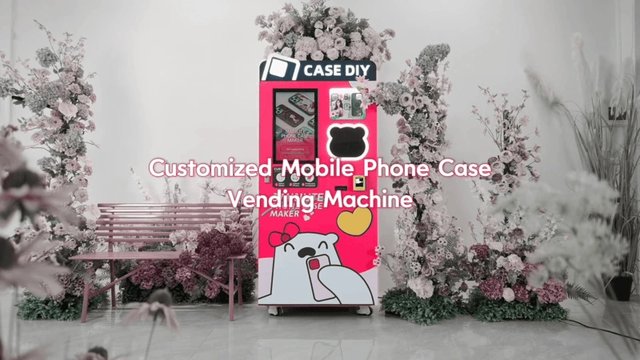
A phone case UV printer can serve a staffed counter or form part of an automated vending kiosk. For unattended retail, buyers need to assess the printing engine, case storage, payment system and management software as one complete system.
The machines this guide covers are GOBEAR UV printer kiosks.
This guide walks the whole purchase as nine decisions, in the order you should make them. Where we already publish deep-dive articles (printing methods, printheads, white ink, voltage, import paperwork) this guide links to them instead of repeating them. And wherever a number matters, it comes from real deployments: the 10 operators in our case studies run 296+ kiosks across 8 countries, and their machines print every day.
If you only have two minutes, here is the short version:
Budget: plan $8,000–$15,000 all-in for a first machine including shipping and first consumables. Leasing (from ≈$1,300/month in Poland) and supported 3–5 machine packages (€40,000–€60,000 in the Baltics) are proven alternatives.
Print speed: live deployments print a custom case in 2.5–5 minutes, and 300 DPI is the street standard.
Ink strategy: for unattended kiosks, choose CMYK cartridge systems and print on clear or pre-colored cases; white ink is a maintenance trap in self-service settings.
Model coverage: iPhone, Samsung, Xiaomi, Google Pixel, Redmi and Honor are the baseline; MagSafe-ready printing supports a 30–45% price premium.
Certifications: CE (EU) and FCC authorization (US, where RF functions apply); confirm in writing which documents ship with your machine before you wire a deposit.
Before you pay: agree on a pre-shipment acceptance test and get the import document list for your country.
The same UV engine powers three different businesses: the unattended kiosk in a mall or airport, the staffed design counter in a shop or at events, and the hybrid that combines a kiosk with an online designer; like PrintCase Express in Estonia, which adds one-day online production and free parc
el-locker delivery across the Baltics on top of its mall kiosks.
The model decides everything downstream: how much capacity you need, which payment rails matter, and how much software you will use. A desktop UV printer cannot survive 24/7 public use; a full-height kiosk is wasted on a weekend craft market. If you are weighing a bare UV printer against a finished vending machine, our business-model comparison breaks down the economics of each path. Choose the model first, then let the machine follow.
Capacity sets your restock cadence, and restocking is your main recurring labor. Compare the three current GOBEAR chassis:
|
Model |
Capacity |
Size (mm) |
Weight |
Best fit |
|
K20 |
manual feed |
550 × 420 × 370 |
33 kg |
counters, studios, pop-up events |
|
K77 |
77 slots × 10 cases = 770 |
820 × 930 × 1,800 |
280 kg |
malls, retail chains |
|
K114 |
114 slots × 10 cases = 1,140 |
1,100 × 975 × 1,900 |
330 kg |
airports, flagship sites |
Two practical notes from live deployments. First, slot depth (10 cases per slot) is what actually limits you: your ten hottest SKUs deplete long before the total capacity does, which is why real operators refill every 1–2 weeks rather than quarterly. Second, a 280–330 kg full-height kiosk needs venue sign-off on floor loading and a power point; confirm both before the machine ships, not after. For reference, the MPC Vending machines in Magics Group's U.S. network hold 1,200 cases and sell $20 cases in about 2.5 minutes.
Four specifications separate a productive engine from a demo-unit one:
Print time. Spec sheets say 3–5 minutes; live deployments run faster; 2.5 minutes on Magics Group's MPC Vending, 2–3 minutes at KURKIS in Lithuania, about 3 minutes at 300 DPI for operators in Japan, Thailand and Estonia. Anything beyond 5–6 minutes breaks the impulse-purchase dynamic in a mall corridor.
Printhead. Current GOBEAR machines run EPSON I1600 U1, F1080 or i3200 U1 nozzles depending on the chassis. The differences matter for resolution and duty cycle; our printhead comparison guide covers them in depth.
Ink delivery. Insist on a cartridge system: when a cartridge runs empty you swap it for a full one in seconds, with no syringes, funnels or spilled ink in a public space. Our printing methods guide explains how UV printing stacks up against the alternatives for phone cases.
White ink. This is the one upsell unattended operators should refuse. White UV ink settles and clogs without daily circulation and cleaning; fine in a staffed print shop, fatal in a machine that stands alone in a mall. The proven kiosk setup is CMYK on clear or pre-colored cases; that is how the 296 kiosks in our case studies run.
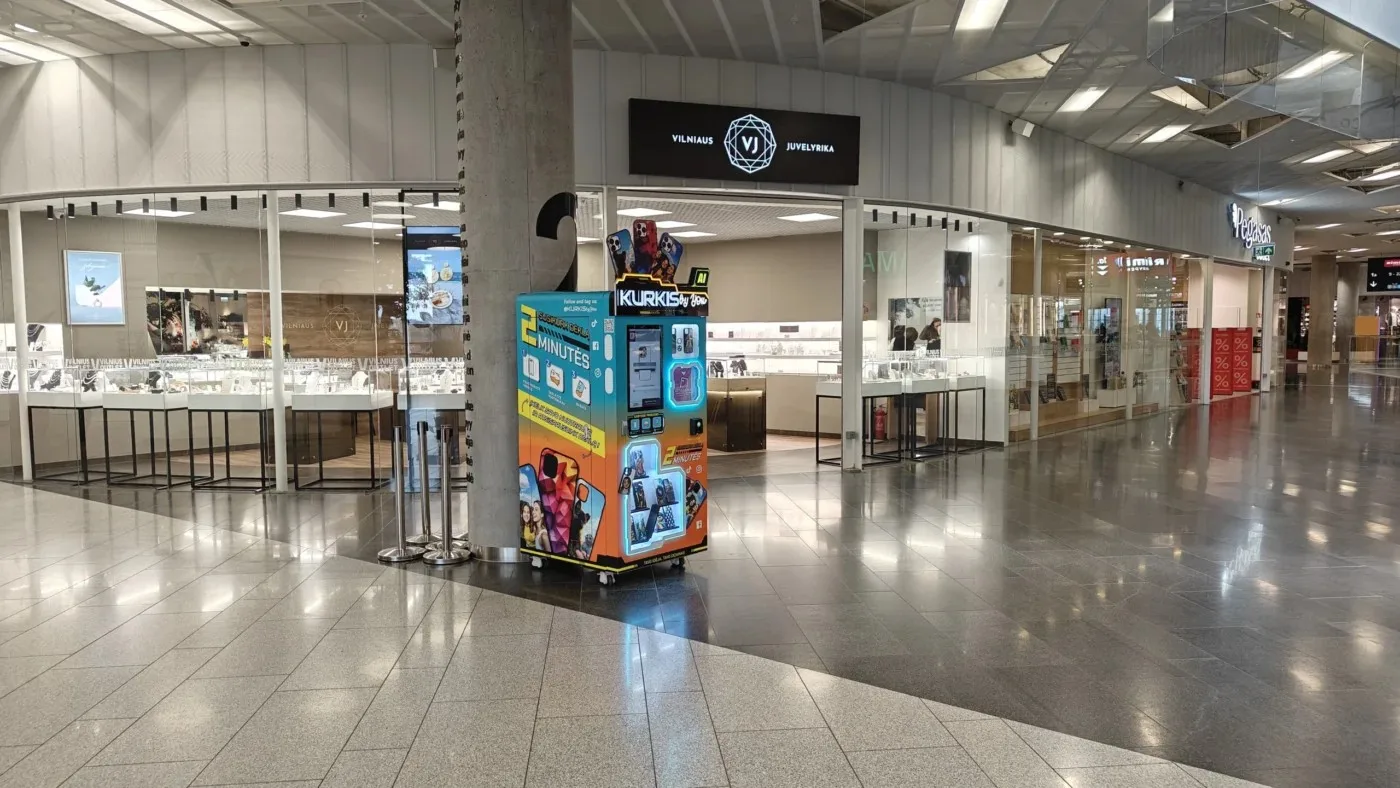
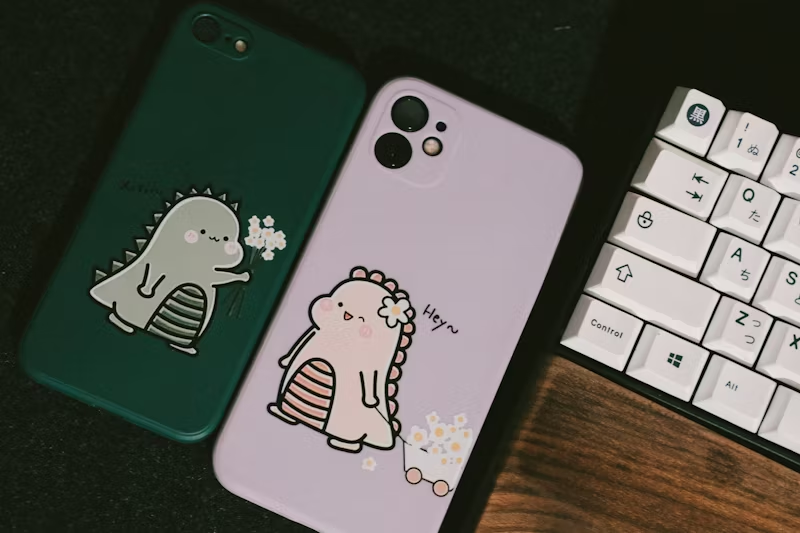
Ask every supplier two questions. Which phone brands are supported out of the box; the baseline today is iPhone, Samsung, Xiaomi, Google Pixel, Redmi and Honor, with 30+ models live on Magics Group's U.S. machines. And how do new models get added; every September iPhone launch obsoletes template libraries, and the answer should be over-the-air design updates, not a technician visit. Balaji Brands manages its 50 kiosks across 21 U.S. states through a remote dashboard with OTA updates, which is the standard to expect.
Then check MagSafe and Qi2 handling separately. A magnetic case has different geometry and a metal ring under the print surface, so printing on it is not automatic; GOBEAR's K77-M2 MagSafe cases use N52 magnets. The commercial payoff is real: KURKIS prices clear cases at €12.99–14.99 and its Premium Black MagSafe at €18.99, a 46% premium, and Balaji's U.S. kiosks print MagSafe and Qi2 cases as a standard tier. Our global pricing benchmark tracks these premiums across 8 markets.
The top operators in our case studies are fully cashless, and your machine should be too. Check which acquirers are certified for your country; the GOBEAR machines accept NAYAX, card, WeChat, Alipay, cash and manual modes, but local certification is what makes a terminal actually work at your venue.
On the software side, the customer-facing UI supports 12 languages and AI design functions (portrait, cartoon, cutout, photo restoration) that visibly lift engagement. More important for you is the management stack: Android, iOS and H5 remote dashboards with monitoring and OTA updates. That stack is the reason one operator can run 97 kiosks across Japan (MyCaseLabo) or 50 across 21 U.S. states (Balaji Brands) without a field technician per machine.
Compare machines before you buy
Get real GOBEAR specs, certification and delivery terms.
Request PricingElectricity first: the machines are rated 220V / 110V) order the variant that matches your venue supply, and confirm the socket situation in the location agreement. Power draw is modest (100–150W standby, 200–300W working), well within what a standard retail circuit delivers; our voltage guide covers plug types and transformers by country.
Compliance second, in writing. Which conformity documents ship with the machine for your market; CE marking for the EU and FCC equipment authorization for the US where the machine includes RF or wireless functions? Requirements genuinely differ by destination and by machine function, so a supplier who cannot name the certificates for your country is telling you something. Our import documents guide lists the full paperwork set to have ready before shipping.
Plan $8,000–$15,000 all-in for a first machine) machine, shipping, installation and first consumables. The unit economics are what make the category work: on a $20 case, roughly $2.50 for the blank case and $0.07 of UV ink leaves about $17.43 gross margin before venue costs. Full numbers, operator by operator, are in our cost and ROI analysis of 10 real operators.
If capital is tight, two proven structures exist: CaseAutomaty in Poland leases machines from 5,000 zł (≈$1,300) per month on rent-to-own terms with marketing, accounting and 24/7 remote support bundled; MB "Vending Solutions" in Lithuania sells 3–5 machine KURKIS franchise packages at €40,000–€60,000 including training and starting stock.
And price the consumables before you buy the machine; not after. Blank cases and ink cartridges are a multi-year recurring purchase, so the consumables price list is part of the purchase decision, not a footnote to it.
You are not buying a box; you are entering a 5+ year relationship covering consumables, spare printheads, firmware updates and the occasional warranty claim. Evaluate suppliers on:
Verifiable deployments. Machines you can visit or operators you can call; our case studies list 10 of them across 8 countries.
Manufacturing substance. GOBEAR's own claims (10+ years of manufacturing, 31+ patents, ISO certification, machines in 50+ countries) are the kind of track record you should expect your supplier to state and evidence.
OEM/ODM support, if you want the machine in your brand's livery rather than the manufacturer's.
Support terms in writing: spare-parts price list, printhead replacement cost, firmware update policy, response-time commitment. The leasing model in Poland shows the ceiling of what good support looks like; 24/7 remote technical support bundled as standard.
Three documents and one procedure close the purchase. The procedure: a pre-shipment acceptance test, run with your designs on your case SKUs, including one MagSafe case and one live payment-terminal transaction; our pre-shipment testing checklist shows exactly what to run. Tie the final payment milestone to a passed test.
The documents: the commercial set (invoice, packing list, bill of lading), the classification set (HS code, certificate of origin, technical specifications) and the conformity certificates from Step 6; our import documents guide covers the full list and where each one is used. Shipping time varies by route; U.S. deliveries are the best confirmed; so ask for the port-to-door estimate in writing and plan your launch date backwards from it.
The supplier shows demo videos but no machines you can visit or operators you can call.
White ink is pitched as a feature for an unattended kiosk.
There is exactly one payment option, and no certified acquirer for your market.
There is no remote monitoring or OTA update story for a multi-machine fleet.
Certification questions get answered with "no problem" instead of a document list.
Consumables pricing is not quotable in writing.
No pre-shipment acceptance test is offered.
The quoted machine price sits implausibly below the $8,000 all-in band with no explanation of what was removed.
This guide exists because the machine is the business. GOBEAR kiosks run EPSON I1600 U1, F1080 or i3200 U1 printheads depending on chassis, print at 300 DPI, and hold 770 (K77) or 1,140 (K114) cases. The specifications you interrogate below are the same ones GOBEAR publishes, so you can verify a quote line by line.
Plan $8,000–$15,000 all-in for a first machine including shipping and first consumables. Leasing from 5,000 zł (≈$1,300) per month rent-to-own is available in Poland, and supported 3–5 machine packages run €40,000–€60,000 in the Baltics. Exact pricing depends on configuration, so request a quotation for your market.
No. For unattended machines the proven setup is CMYK printing on clear or pre-colored cases. White UV ink settles and clogs without daily circulation and cleaning, which breaks unattended economics; the full analysis is in our two white ink guides.
Live deployments print a custom case in 2.5–5 minutes: 2.5 minutes on U.S. MPC Vending machines and about 3 minutes at 300 DPI across Japanese, Thai and Baltic kiosks. Spec sheets state 3–5 minutes; treat anything slower as a red flag for impulse-purchase locations.
It depends on your market: CE conformity for the EU and FCC equipment authorization for the US where the machine includes RF or wireless functions. Get the certificate list in writing before paying a deposit; details are in our import documents guide.
The baseline covers iPhone, Samsung, Xiaomi, Google Pixel, Redmi and Honor; 30+ models in live U.S. deployment; and new models arrive as over-the-air template updates. MagSafe and Qi2 cases need dedicated handling because of the magnet ring, so confirm support for them specifically.
Ready to run these nine steps against a real quotation? Tell us your market and target locations, and we will configure the machine variant, payment setup, certification set and consumables plan for your country; the same hardware running in the 10 case studies on this site.
Share your business vision with us. Our automated retail experts will craft a tailored strategy and a comprehensive profitability report to unlock your next revenue stream.