What Phone Accessories Sell Best in Australia
Discover top categories and high-margin phone products that sells best in Australia. Ideal for wholesale, dealers, and p...

I'm the COO of GOBEAR. We help entrepreneurs, mall operators, 3C mobile stores, event venues, and campus retailers tap into high-margin, low-maintenance vending models.
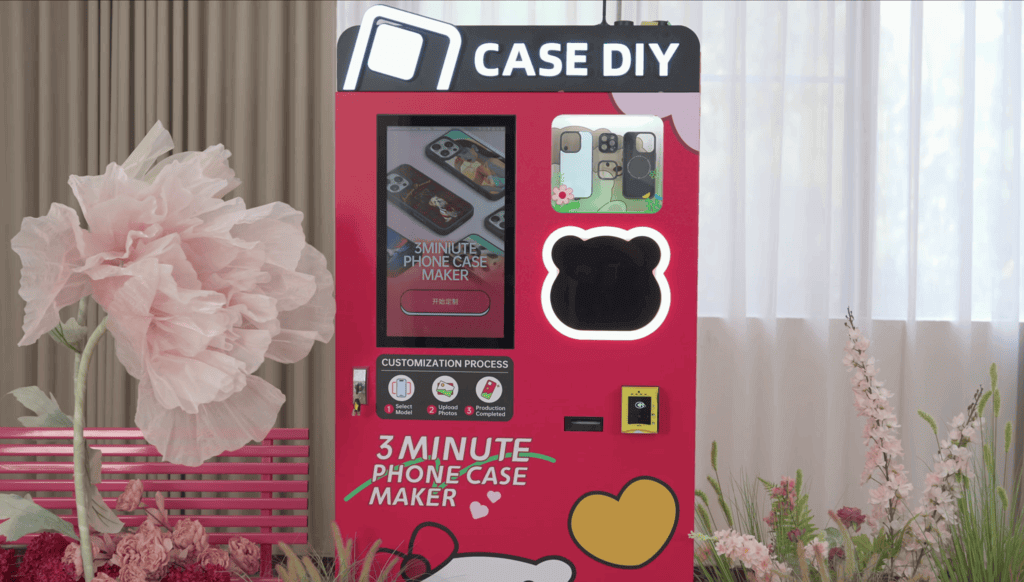
Can one person run a phone case printing business without turning it into a full-time production job? With automated printing, self-service ordering, and remote machine management, the workload can be structured around restocking, monitoring, marketing, and customer support.
For operators using a phone case vending machine, the focus shifts from printing every order by hand to keeping the machine stocked, connected, and ready for customers.
Yes, a phone case printing business is solo-friendly. You can manage core tasks like design and marketing, often outsourcing production, making it manageable for one person to operate from the start.
| Aspect | Print-on-Demand (POD) | Self-Production (In-House) | Hybrid |
|---|---|---|---|
| Core Structure | Owner designs, markets; POD partner prints, ships. | Owner designs, prints, ships. | Mix of POD for standard, in-house for custom. |
| Operational Impact for Solo Operator | No inventory, automated fulfillment. Focus on creative, sales, customer service. | Direct quality control, more hands-on production (printing, QC, packaging, shipping). | Flexibility: outsource standard, focus personal time on premium items. POD absorbs demand spikes. |
| Capital & Inventory | Low startup cost, no physical inventory. | Higher equipment cost, requires blank case inventory ($200-$300 suggested initial). | Balanced: some blank inventory, POD reduces overall stock risk. |
| Solo Scalability | High, scales with design count and marketing. Minimal incremental labor per order. | Limited by physical throughput. Workload scales linearly with sales. | Good: manage diverse offerings with balanced workload. |
| Time Investment (typical weekly) | 5-10 hours (design, marketing, support). | 10-25 hours (production, fulfillment, design, marketing, support). | Varies based on mix, allows for flexible time allocation. |
| Profit Potential | $10+ per unit margin target. $1.5K-$3K/month feasible. | $15+ per unit margin target. Higher control over profit per unit. | Leverages best of both for optimized margins. |
Note: Figures are planning estimates, not fixed industry benchmarks. Actual results vary by business model and operating costs.
A phone case printing business is set up well for a single person, particularly when starting out. Core tasks such as design, marketing, and order handling are managed by one person. Production and fulfillment can be partially or fully outsourced.
Here are the main business models and how they work for solo operators:
A solo-friendly business needs to allow one person to handle critical tasks consistently. Here is how that breaks down for phone case printing:
A single person can run a phone case printing business by organizing core responsibilities and structuring their daily workflow.
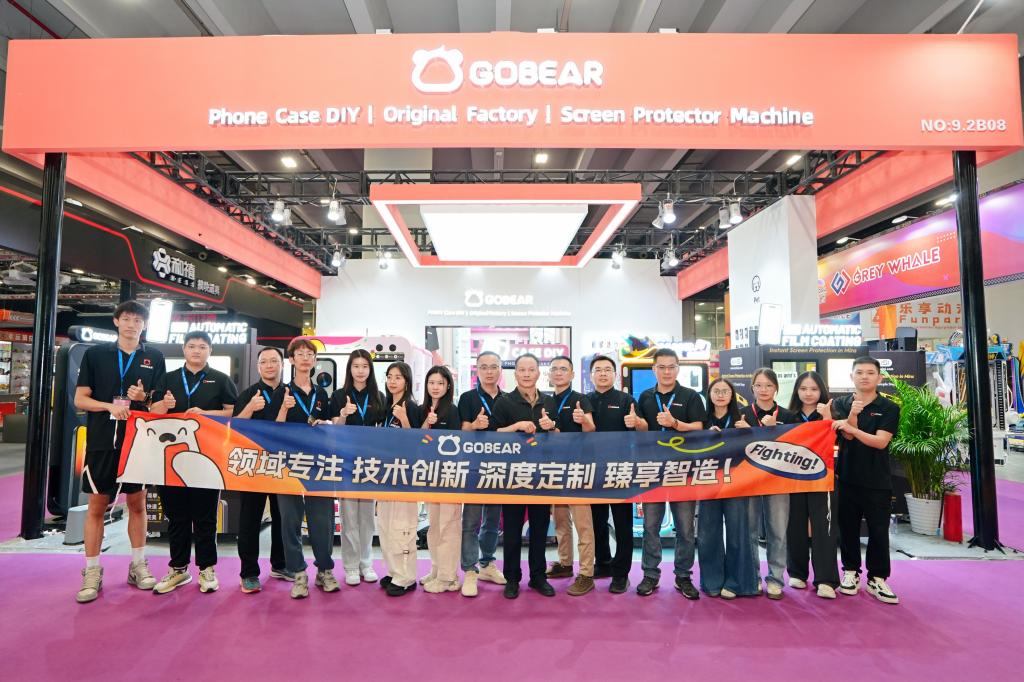
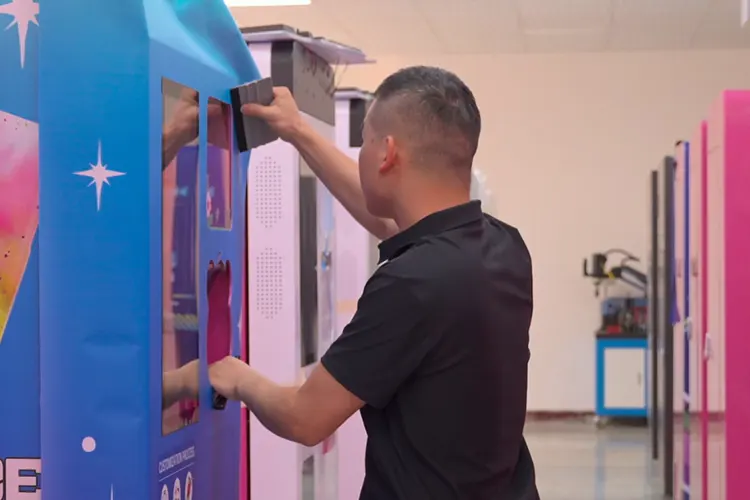
Running a phone case printing business alone means focusing on lean processes. This involves standardizing workflows and maximizing automation to handle production and growth efficiently.
For a single operator, efficient production means minimizing manual work. Standardized workflows, combined with tight control over quality, inventory, and costs, prevent bottlenecks.
You have choices in how you produce. In-house printing gives you direct control over quality and fast custom responses, but it needs strict workflow standardization. Print-on-demand (POD) partners handle printing, packing, and shipping, so you focus on design and marketing. Many solo operators use a hybrid model. This involves POD for standard designs, with limited in-house printing for premium or quick orders.
Standardizing the printing workflow begins with design and print preparation. Use presets in your design and printing software. Set up options like "mirror print" and "best quality" for sublimation. This eliminates manual setting changes. Maintain device-specific templates for each phone model. This ensures exact alignment for camera and button cutouts. When you print, batch similar orders together to streamline cutting and pressing.
When you cut transfers, always use heat-resistant tape to secure the design to the blank case. This prevents shifting and misprints. For heat pressing, rely on consistent settings.
For in-house printing, use production settings recommended for the specific blank case, ink, printer, and transfer or curing process. Record tested settings for each case type so repeat orders can be produced consistently.
Quality control needs a systematic approach. Test each batch of blank cases for fit, surface uniformity, and compatibility with your printing method. Monitor temperature, pressure, and cycle times during production.
Check samples from each batch for fit and finish. Track defect rates by cause. Review logs monthly to catch trends early and adjust your process. This reduces customer service issues later on.
Effective capacity planning involves matching your production to demand. Phone case sales often spike during new phone launches and holiday seasons. Increase your blank stock and plan longer production runs before these peak times.
Break down your work into repeatable blocks, like design, printing, and packing. Batch similar tasks to minimize context switching. Initially, limit the number of phone models and case types you offer. This reduces template complexity and inventory management overhead.
Automation and smart resource use are key for a solo operator to manage a phone case printing business. Automation reduces manual workload, makes solo operation feasible, and supports consistent output. This setup helps you scale your monthly revenue.
Print-on-demand (POD) platforms are a core automation model. Platforms like Printful and Printify automate production and fulfillment. When a customer orders, the POD partner automatically prints, packs, and ships the case. You manage design, marketing, and customer service. This means you don't need to stock physical inventory. Product information and mockups sync automatically with your online store. You also get automated billing, so you only pay per order.
Hardware automation helps with production. Modern UV or sublimation printers for phone cases include features like preset print settings. Once you set ideal resolution, ink density, and color profiles, you reuse them for consistent quality. Template-based printing ensures designs fit each phone model correctly.
Many printers also let you print multiple cases in one job. This batch printing reduces labor per unit. For vending machines, a single operator can manage 5-10 machines using cloud dashboards. These dashboards allow remote monitoring of sales, ink levels, and errors.
Design automation tools reduce time spent on creative tasks. POD platforms often have free design makers with mockup generators and templates. These tools ensure correct print areas, bleed, and safe zones. This reduces errors. Graphic software like Canva or Adobe Illustrator also works with predefined phone case templates. Using these templates lets you produce large design libraries faster.
E-commerce and operations automation simplify order management. Platforms like Shopify, Etsy, and WooCommerce integrate directly with POD services. They sync products, orders, and tracking. Customers receive automated status updates. POD dashboards show base costs and margins per sale. Built-in analytics also summarize revenue per product. This gives you data without custom reports.
Marketing and customer acquisition benefit from automation. You can schedule posts on platforms like Instagram and TikTok. SEO tools, such as Google Trends and Semrush, help identify high-demand designs. This makes organic traffic acquisition repeatable. For vending machines, local ads on Google Maps and social media can draw customers without constant manual posting.
Inventory management also gets streamlined. Track blank case quantities, ink levels, and sales by SKU using a central system. You can set reorder points and get low-stock alerts. This helps you avoid overstocking obsolete items. While human oversight is still needed for new phone launches or viral trends, this hybrid automation makes inventory far more manageable for one person.
Overall operational systems help too. Create a business plan and operational timeline. This outlines steps from order to shipping. Use order management tools to integrate your store and POD services.
Document standard operating procedures (SOPs) for design files, print settings, and quality control. SOPs reduce decision fatigue and errors. POD outsourcing handles physical production, letting you focus on design, branding, and marketing.
Effective inventory management for a solo phone case business means controlling blank stock, consumables, and designs to meet demand without tying up capital or creating dead inventory.
A solo operation thrives by managing inventory smartly. The core strategy is print-on-demand using blank cases, treating designs as made-to-order. This minimizes unsold inventory risk and lets you update or retire designs without waste. You keep more blanks for top-selling models like recent iPhones and Samsung flagships, with fewer for niche models.
For a single printing unit, a baseline stock is 8–15 cases per phone model. This means a total of 120–200 cases in low-traffic areas, or 400–800 in high-traffic spots. Custom-print setups typically stock 300–600 blanks, skewed toward popular models.
Inventory costs for a phone case vending setup vary with machine capacity, case models, sales volume, and ink consumption. Operators should estimate blank-case, ink, maintenance, and location costs from the machine and sales level they plan to operate.
To keep costs down:
Phone case SKUs quickly become obsolete as new models launch. Strict First-In, First-Out (FIFO) is key. Always load new cases behind older stock so older units move first. Use color-coded labels for models nearing discontinuation. Audit boxes untouched for 3–6 months to find dead stock.
For rationalization:
Set minimum and maximum stock levels according to sales velocity, machine capacity, and the availability of each phone model. Fast-moving models can carry more safety stock, while slower models can be replenished in smaller quantities. For bulk custom orders, add a 5–10% buffer for popular models and a 10% contingency buffer to your inventory budget.
Accurate demand forecasting keeps stock lean while ensuring availability. Use historical sales data, seasonal patterns (holidays, new phone launches), and market trends. Keep a simple inventory dashboard with stock on hand, average weekly sales, and weeks of cover. Use this data to decide which models to scale up, scale down, or discontinue.
Effective supplier management also helps. Negotiate small Minimum Order Quantities (MOQs) to carry more models without overstocking. Favor suppliers with frequent restock options. Ask about buy-back or exchange programs for obsolete inventory. Avoid long-term bulk contracts unless your sales data fully supports the volume. Standardize inks, films, and coatings across designs to simplify reordering.
A single person benefits from lightweight, centralized inventory systems. Use a Shopify app, spreadsheet, or dedicated tool to track blank case quantities, ink levels, and sales by SKU. For online stores, use apps supporting shared inventory among product variants, grouping phone case variants (e.g., iPhone 13/14/15) under a single blank stock pool.
For vending machines, use management software to view real-time stock and standardized planograms. A network-wide dead stock dashboard helps identify underperforming SKUs everywhere.
Physical inventory audits are crucial. Routinely verify counts for top models and consumables against system data to catch misplaced boxes or errors. During each service or production cycle, confirm bay or shelf quantities and obsolescence status. Tag SKUs with no recent movement for clearance.
Limit your product range to reduce inventory complexity. Focus on phone models with large user bases. Keep a core catalog of evergreen designs and add limited-run designs in small batches. Align stocked models with your sales channels and bulk project needs. For bulk custom orders, create a project brief listing required phone models, quantities, and delivery dates to plan blanks and consumables.
Just-in-Time (JIT) principles fit a solo phone case business naturally. Keep minimal finished goods; print cases only after receiving an order or when replenishing vending stock. Use accurate demand forecasting for blank and ink purchases. For inconsistent demand models, rely on JIT with lower stock levels and smaller, more frequent orders. Reserve higher static stock for business-critical models that must always be available.
A realistic workflow for a solo operator looks like this:
This framework keeps inventory lean, current, and controllable, balancing stock availability with cash flow and the fast pace of phone model changes.
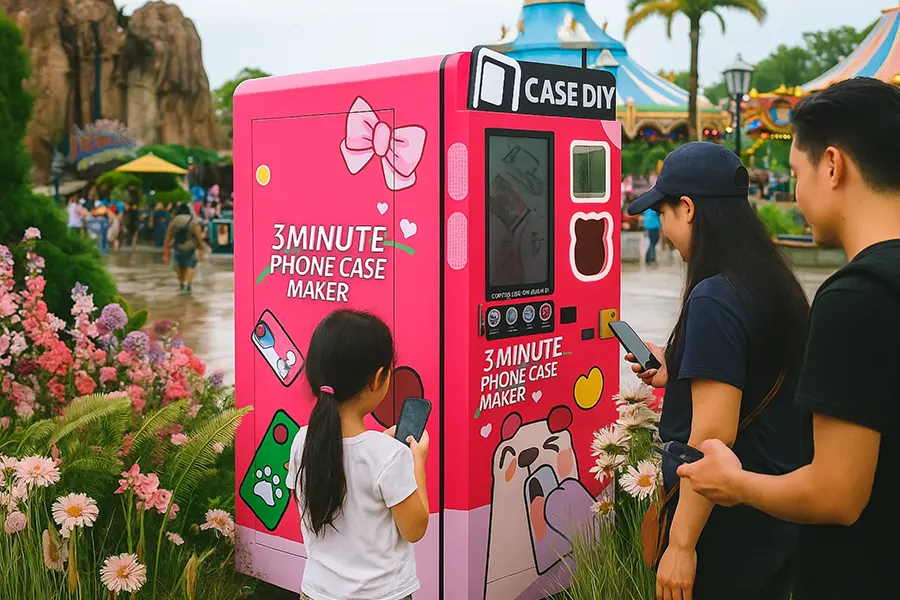
Effective customer service for a solo phone case business demands clear communication, quick responses, and transparent policies to build loyalty.
A solo operator handles all customer interactions. This means managing pre-purchase questions, keeping customers updated on orders, and resolving any issues after they buy. Consistency across all channels is key.
Customers want answers about compatibility, materials, and custom options before they buy. You also need to confirm orders, provide status updates, and proactively tell them about delays. Clear communication helps set expectations.
After the sale, you deal with order status, lost packages, and complaints about print quality or fit. You also process returns and exchanges. Encouraging and responding to reviews, especially on marketplaces, helps your standing.
You manage ongoing customer relationships by sending updates on new designs and offers. Responding to social media messages about designs and new phone models also builds community.
For response times, aim for 12–24 hours on business days for emails and DMs. Marketplaces often benefit from even faster responses. As a solo operator, schedule specific times during the day for communications. Automated messages help manage expectations when you cannot reply immediately.
Keep your brand tone consistent in all communications. Be honest and polite, especially when issues come up. Specific information is better than generic phrases. Explain case materials, printing techniques, and customization options clearly. Product descriptions, FAQs, and policy pages need to align with your direct messages. Also, use a consistent logo and color scheme for all branded communication.
You handle production-specific issues like misaligned prints or wrong colors. Ask for photos to verify defects. Have a clear policy for replacements, refunds, or discounts. If you use a print-on-demand (POD) partner, you act as the middleman for customer issues. Understand the POD partner's production times, return policies, and quality rules. Communicate those limitations to customers to prevent unrealistic expectations.
Clearly state the difference between processing time and shipping time. Provide realistic estimates based on your daily printing capacity and blank case inventory. Notify customers quickly if a phone model is out of stock and offer alternatives.
You need clear policies and documentation. Publish return policies that cover damaged cases, manufacturing defects, and customer errors. Define rules for "change of mind" returns on custom cases, which often have stricter policies. Set realistic expectations for print and case durability. Provide care instructions. If you collect customer data, clearly state how you store and use it, and respond to requests for data removal or unsubscribes.
Each sales channel has specific service needs. On your online store, detailed product pages, FAQs, and policy pages reduce questions. Offer contact forms or chat with estimated response times. Marketplaces like Etsy and Amazon require fast message responses and timely shipments to meet their metrics.
For social media, monitor comments and DMs, then respond politely to public feedback. For in-person sales, clearly explain case compatibility and customization options, and handle post-event inquiries through your regular channels.
Effective feedback collection helps you improve. Look at social media comments and direct messages for design preferences. Use surveys to gauge acceptable price ranges or phone model demand. Reviews and repeat purchase data show which designs drive sales.
Use this feedback. Adapt design styles to customer aesthetics. Update your product range to cover popular phone models. Refine your messaging and FAQs to address common questions identified in feedback.
To make solo customer service work, use the right tools and processes. Order management tools help track production and shipping. Centralize all messages or check each channel at scheduled times. Use automation and templates for common questions like order status or returns. Document internal checklists for confirming custom designs, quality control, and handling specific complaints. These steps make service manageable.
Customer service is often the first function to need help as order volume increases. A solo operator handles all communications by batching tasks at early stages. As daily inquiries and issues increase, consider hiring a virtual assistant. They answer routine questions, monitor messages, and summarize issues for you. Delegating basic customer service frees your time for design, marketing, and production optimization.
Even alone, track key service metrics. Monitor your average response time, order accuracy rate, and complaint rate per 100 orders. Track the resolution time for issues and your repeat purchase rate. These metrics reflect long-term satisfaction.
For a sustainable solo phone case business, prioritize fast, honest, and clear communication across all channels. Maintain transparent policies for returns, refunds, and shipping. Understand and clearly explain any printing constraints to customers. Systematically collect and apply customer feedback to your products and messaging. Use basic automation, templates, and order tools to keep service manageable.
Automation tools offload key tasks, making a phone case printing business feasible for one person with consistent output and scalable revenue.
One person runs a phone case printing business by offloading design, ordering, printing, and fulfillment to software and hardware systems. This setup reduces manual work, making solo operations practical, providing consistent output, and allowing scalable monthly revenue.
Print-on-demand platforms like Printful and Printify automate production and fulfillment. This means a single operator manages only design, marketing, and customer service.
This model means one person runs the business with minimal physical involvement, focusing on design, store optimization, marketing, and customer support.
A web-to-print system connects an e-commerce store with a phone case design tool and production workflow. This lets customers customize cases online and sends print-ready files straight to the printer.
This setup works well for a solo operator using a UV printer or sublimation process for blank cases. It reduces repetitive design layout, standardizes file formats and templates, and supports streamlined batching and print scheduling.
Modern UV or sublimation printers for phone cases include automation features that help one person manage production.
A UV printer is the main equipment cost for in-house production. Blank case inventory often starts around $200–$300.
Phone case vending machines combine on-site printing and dispensing with cloud and user interface automation.
With automated vending, one person mostly restocks blank cases and consumables, monitors remotely via the dashboard, manages marketing (local ads, partnerships), and handles occasional support and maintenance.
Automation tools accelerate and standardize workflows across design, e-commerce, marketing, and production, making operations efficient for a single person.
Reusing design templates and automations like layers, smart objects, and preset export settings means one person produces large design libraries faster.
E-commerce platforms integrated with POD or web-to-print tools automate core business functions.
A one-person phone case business uses marketing automation to drive sales without manual outreach for every potential customer.
For operators printing cases in-house via sublimation or UV, automation focuses on repeatable settings and batch workflows.
Automation tools help one person systematically manage niche selection and expansion. They also help with model coverage and design testing.
Automation ensures changes in available phone models, design trends, and customer feedback reflect quickly in the product catalog without major manual restructuring.
With these automations in place, a single operator handles product design, runs online sales channels, manages production with presets and batch workflows, uses order management tools, oversees marketing, and operates vending machines via cloud dashboards.
This structure supports consistent monthly revenue and provides clear pathways to scale by adding new sales channels, deploying more vending machines, expanding design catalogs, and upgrading equipment.
A cloud-managed vending setup can let one operator oversee multiple machines. The practical number is shaped by sales volume, location distance, restocking, and maintenance needs.
Modern phone case printing vending machines are purpose-built for solo operators. They handle the full sales and production flow without needing staff on-site. The machines are designed for completely unattended operation, letting customers self-serve from start to finish.
Customers choose their phone model, customize a design on a touchscreen, pay, and the machine prints and dispenses the finished case in about 3-4 minutes. This automated process limits the operator's involvement to periodic restocking of blanks and consumables, remote monitoring, occasional maintenance, and marketing efforts.
Crucially, these machines offer cloud dashboards for remote monitoring. An operator can check sales, ink levels, and error alerts from anywhere. They can also update designs or pricing without needing to physically visit the machine. This capability means a single person oversees multiple machines spread across various locations, prioritizing site visits only when a machine signals low stock, low ink, or a technical issue.
How many machines one person manages depends on a few key parameters. You can usually handle more machines if daily sales volume is moderate and machine capacities are high.
Several factors can reduce the number of machines a single operator can realistically manage. Your setup should account for these to avoid bottlenecks.
You can maximize the number of machines you manage by implementing specific operational best practices. This lets you stay closer to the upper limit of around 10 machines per person.
You know your phone case business is ready for staff when workload hits critical levels and the numbers make sense. Look for specific operational signs and ensure you have solid finances.
It's time to consider help when your operation shows these clear signs:
Before you bring someone on, verify these critical conditions:
Running a phone case business alone is much easier when repetitive tasks are organized and the right production model is in place. POD can keep fulfillment light, while in-house printing gives you more control over production and customization.
For businesses interested in expanding into automated on-site customization, GOBEAR offers phone case vending machines with UV printing, AI-assisted design, and cloud-based management.
Share your business vision with us. Our automated retail experts will craft a tailored strategy and a comprehensive profitability report to unlock your next revenue stream.